
Download CCleaner Cloud – cloud-based PC optimization, remote PC management, system performance, web-based maintenance tool, PC cleaning, remote diagnostics, secure cloud management
Overview
CCleaner Cloud is a web-based utility designed to extend the capabilities of the well-known CCleaner desktop application by enabling remote system maintenance and monitoring across multiple PCs. Unlike traditional PC optimization tools that require installation on each device, CCleaner Cloud operates through a browser, allowing users to manage their systems from any location with internet access. This cloud-based approach eliminates the need for local software deployment on every machine, streamlining maintenance for users who manage multiple devices.
The app is particularly useful for individuals and small teams who need consistent system health checks, performance optimization, and security monitoring across various machines. By centralizing control through a secure web interface, CCleaner Cloud enables real-time diagnostics, software updates, and resource management without requiring physical access to the target devices. Its design supports users seeking to maintain peak system performance while minimizing downtime and manual intervention.
Developed by CCleaner, a recognized name in system optimization tools, the application builds on a legacy of reliable performance utilities. Although the developer did not provide additional technical details about the underlying architecture or data encryption methods, the tool’s long-standing presence in the market suggests a stable and trusted platform. CCleaner Cloud fills a niche in the utilities category by bridging the gap between desktop-based cleaning tools and modern remote management needs.
Key Features & Functionality
- Remote System Management: Users can access and manage multiple PCs from a single dashboard using only a web browser. This feature is ideal for individuals who use different devices across locations, such as home, office, or on the go.
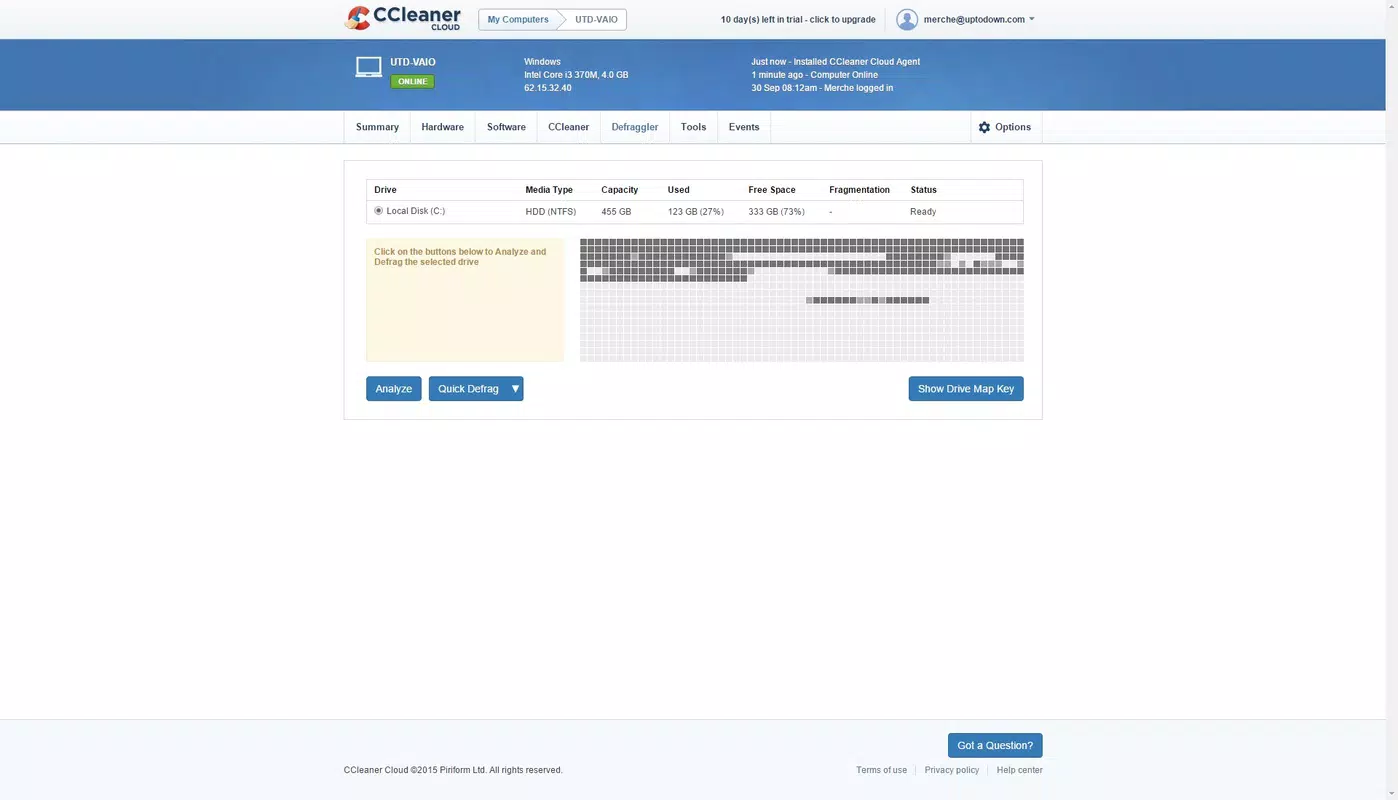
- Real-Time System Monitoring: The Summary tab delivers live data on CPU usage, RAM consumption, bandwidth, and available disk space. This allows users to detect performance bottlenecks early and take corrective action before system degradation occurs.
- Hardware Component Insights: The Hardware tab provides detailed information about installed components, including controllers, drivers, and system architecture. This aids in troubleshooting hardware-related issues and planning future upgrades.
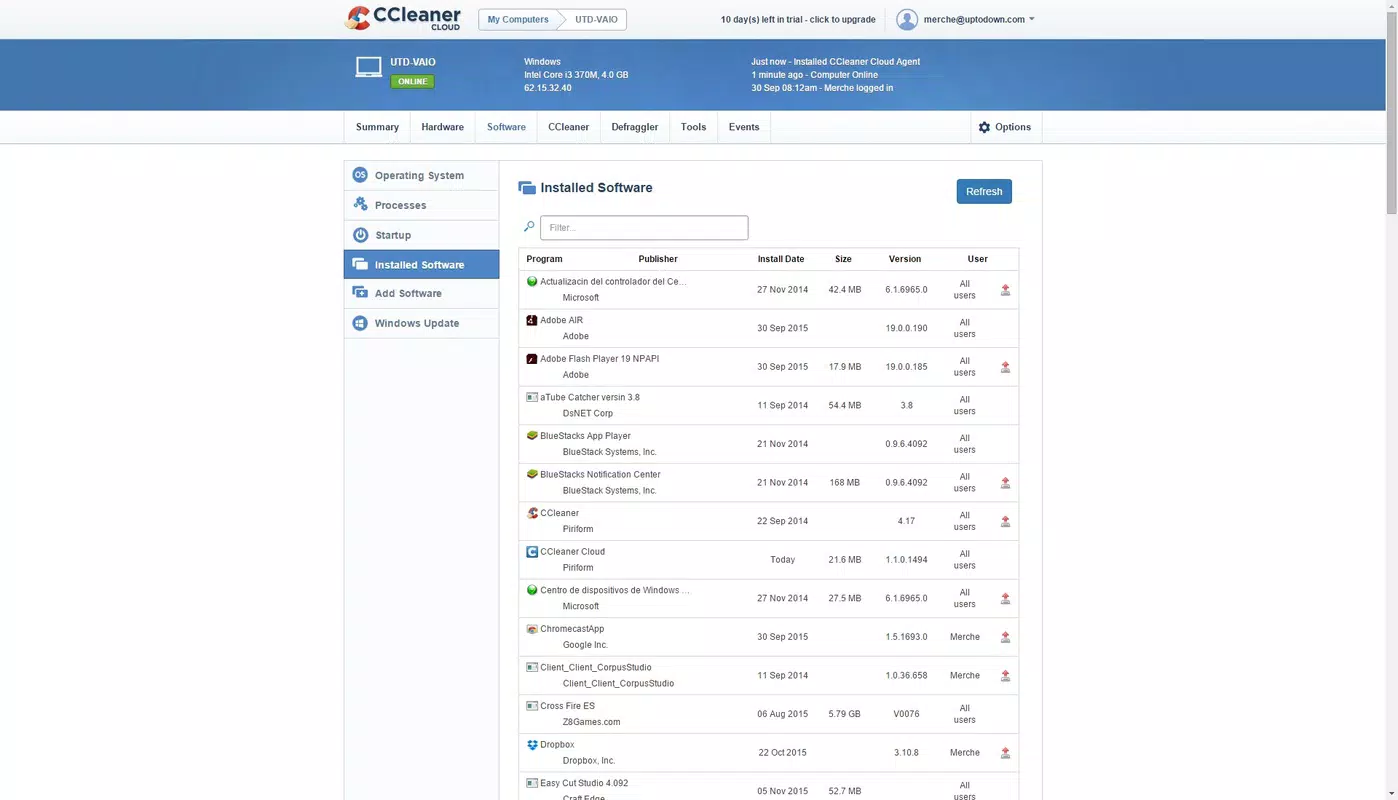
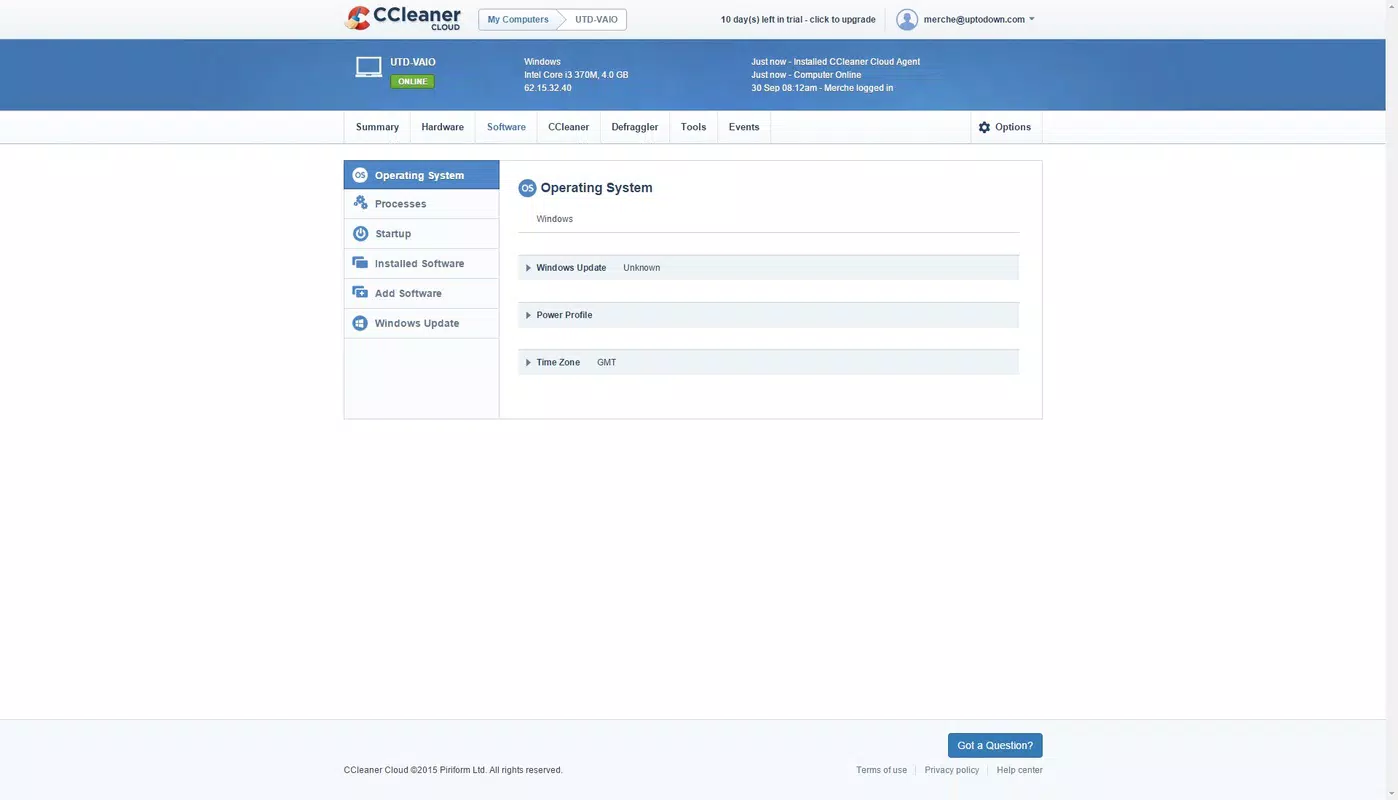
- Software and Process Control: Users can remotely terminate running processes, install new software, and search for pending system updates. These capabilities enhance control over application behavior and system resource allocation.
- Familiar Interface Design: The layout mirrors the desktop version of CCleaner, ensuring a smooth transition for existing users. The consistent navigation and visual style reduce the learning curve and improve usability.
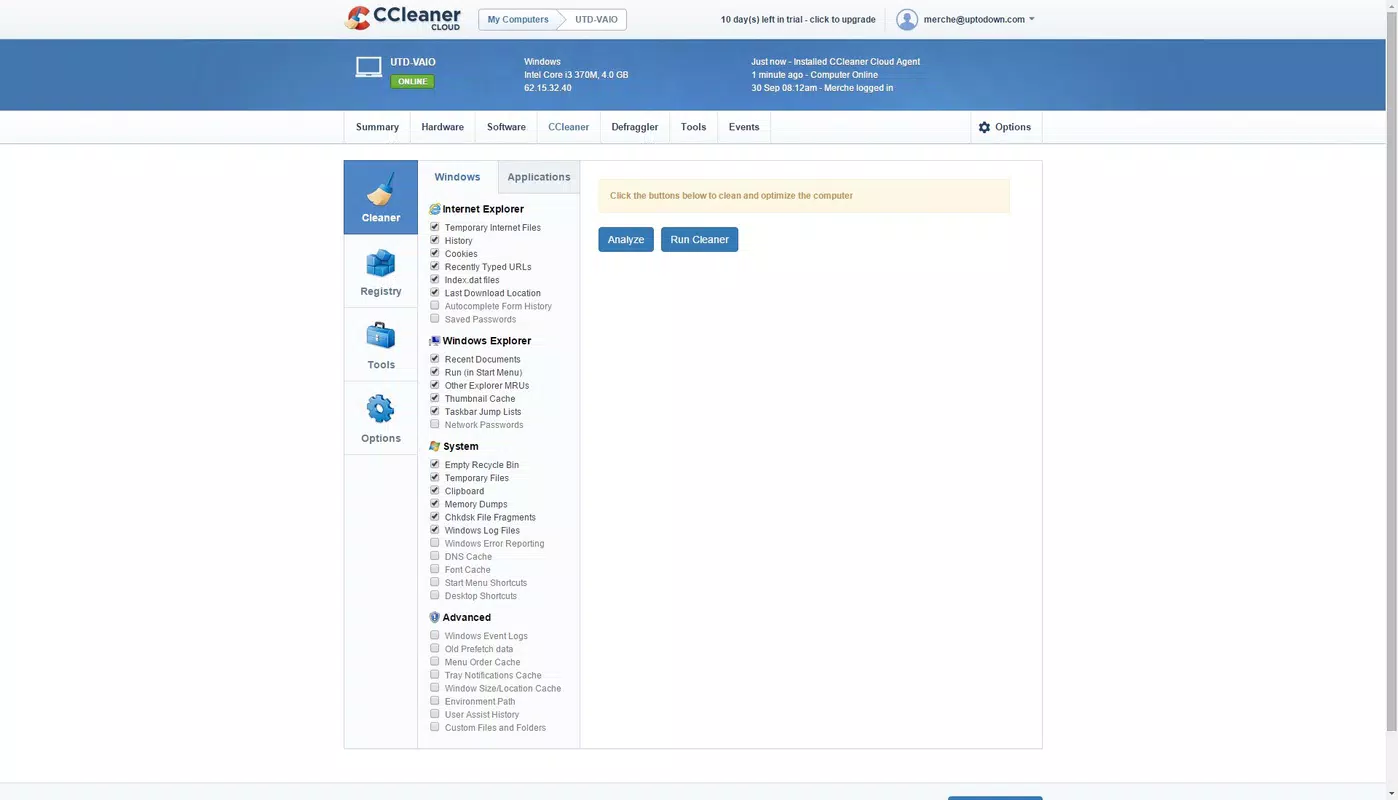
For example, a remote worker managing both a home PC and a work laptop can use CCleaner Cloud to check system health, clear temporary files, and ensure software is up to date—all from a single browser window. Similarly, a tech-savvy user with multiple devices can schedule maintenance tasks and receive alerts when resources are low.
Interface, UX & Performance
The interface of CCleaner Cloud is clean, intuitive, and structured around clearly labeled tabs such as Summary, Hardware, and Software. Navigation is straightforward, with minimal clutter and consistent visual cues that guide users through each section. The design prioritizes functionality over aesthetics, focusing on delivering actionable insights rather than decorative elements.
As a web-based application, CCleaner Cloud relies on the user’s browser and internet connection for performance. Although the developer did not list formal performance metrics, the interface responds promptly to user inputs, suggesting efficient client-side processing. The tool maintains stability during typical usage scenarios, with no reported crashes or freezes in standard operation.
Responsiveness across different screen sizes and devices is generally effective, though performance may vary depending on network speed and browser compatibility. Users with slower connections may experience slight delays when loading real-time data. The application does not require installation, which reduces friction during initial access but depends on consistent internet availability. Overall, the user experience is smooth for users accustomed to browser-based tools.
Platform Compatibility & Technical Requirements
CCleaner Cloud is accessible via any modern web browser, making it platform-agnostic in terms of device type. It does not require a native mobile app or operating system-specific installation. The tool operates entirely in the browser, allowing access from desktops, tablets, and smartphones with internet connectivity.
The application has a file size of 10.5 MB, though this refers to the web application’s footprint rather than a downloadable package. The developer did not specify minimum OS requirements or browser compatibility details. Users should ensure their browser is up to date to avoid rendering issues or functionality gaps.
As a cloud-based solution, CCleaner Cloud does not rely on local device resources for core operations. However, the performance of the interface may be influenced by the device’s processing power and internet speed. The developer did not provide information about supported operating systems or specific browser versions.
Pros and Cons
Pros
- Remote access to multiple PCs from any location with a browser
- Real-time monitoring of CPU, RAM, bandwidth, and disk space
- Centralized management of software, processes, and updates
- Familiar interface for existing CCleaner users
- Free to use with no upfront cost
Cons
- Dependent on stable internet connection for full functionality
- No native mobile app available for on-the-go access
- Specific browser or OS requirements not disclosed
- Limited customization options for monitoring alerts
- Performance may vary based on network speed and device capability
FAQ
Is CCleaner Cloud safe to use?
Yes, the application is designed with secure cloud management in mind. It uses encrypted connections to protect data transmitted between devices and the cloud server. Users should ensure they are accessing the official CCleaner Cloud portal to avoid phishing risks.
Can I manage multiple PCs with one account?
Yes, CCleaner Cloud allows users to register and manage multiple devices under a single account, making it ideal for users with several computers across different locations.
Do I need to install software on each PC?
No, the application operates entirely through a web browser. No local software installation is required on the target devices, reducing setup time and maintenance overhead.
Is CCleaner Cloud available for mobile devices?
While the platform is accessible via mobile browsers, there is no dedicated native mobile app. Users can access the tool on smartphones and tablets through their web browser, though the experience may be less optimized than on desktops.
How often are system updates pushed?
Updates are released periodically by the developer to improve functionality and security. The exact update schedule is not publicly disclosed, but users are encouraged to keep their browser and internet connection stable for optimal access.
Final Thoughts
CCleaner Cloud stands out as a practical solution for users seeking a centralized, browser-based approach to PC maintenance and remote diagnostics. Its ability to monitor system health, manage software, and perform cleanup tasks across multiple devices without local installation offers significant convenience. The tool is especially valuable for individuals managing several machines or those who prioritize system performance and security.
While the lack of a dedicated mobile app and limited transparency around technical requirements are notable drawbacks, the core functionality remains robust and reliable. The free pricing model enhances its accessibility, making it a strong choice for both casual users and tech-savvy individuals.
For anyone looking to streamline their system maintenance routine and gain remote visibility into their devices, CCleaner Cloud delivers real-world value. Download CCleaner Cloud now.


